Sciometa POS · How-to guide
Setting Up Loyalty
Create a reward card, choose how customers earn points, and set what they get when they have collected enough.
Tätä ohjetta ei ole vielä saatavilla omalla kielelläsi, joten näytämme englanninkielisen version.
Open the Loyalty Program
Select Loyalty Program in the left-hand menu.
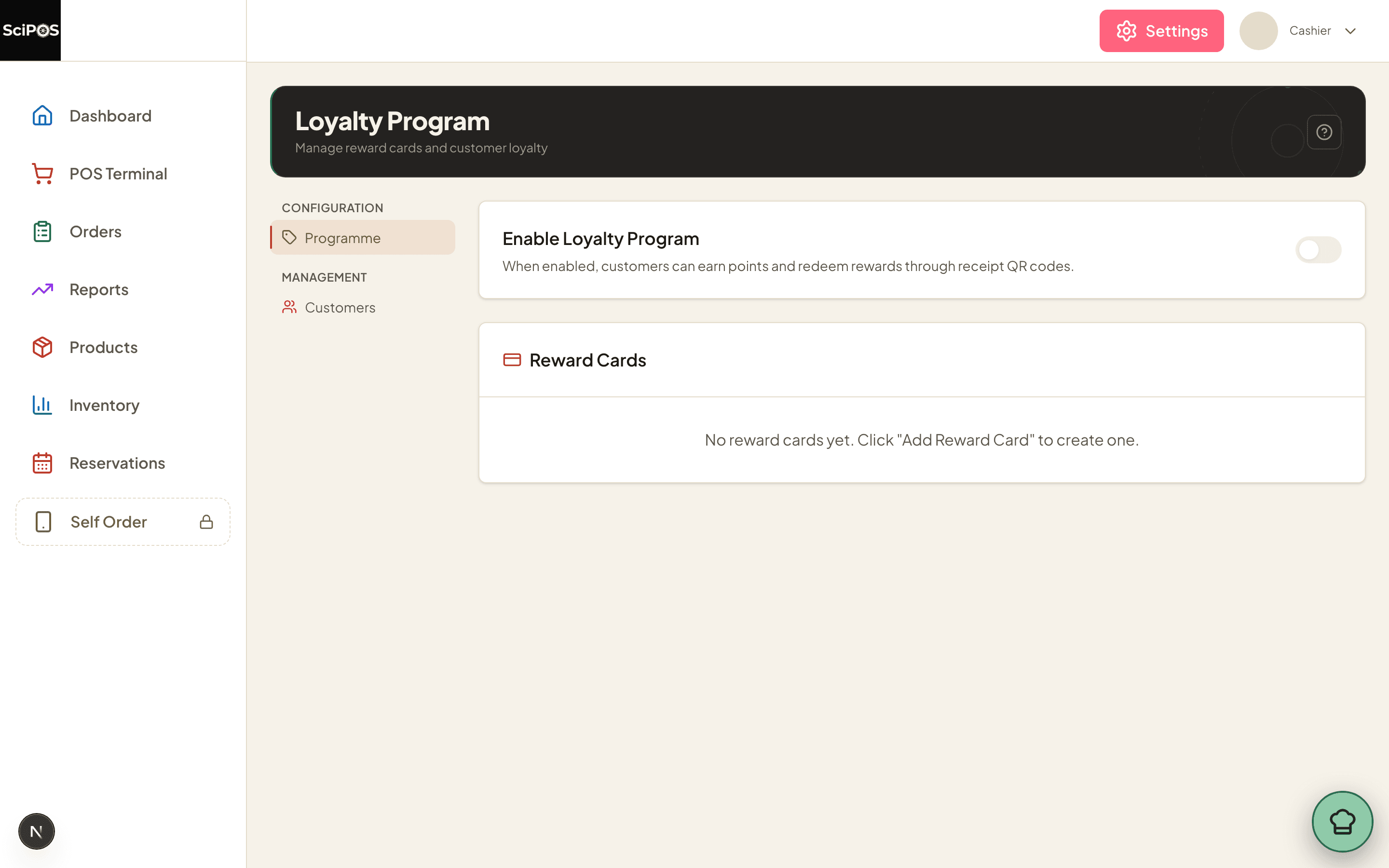
The page has two tabs: Programme for the setup, and Customers for looking people up by phone number.
Switch on Enable Loyalty Program first. While it is off, nothing is collected at the till no matter how the cards are configured.
Create a reward card
Select Add Reward Card.
| Field | What to enter |
|---|---|
| Card Name | What staff and customers will call it — Lunch Stamp Card. |
| Store | One restaurant, or all of them. |
| Description | Optional, shown with the card. |
| Earning Type | How points are collected. The three options are explained below. |
| Qualifying Categories / Products | Optional. Narrows the card so only certain items earn points — a lunch card that ignores drinks, for example. Leave both empty and everything qualifies. |
The three earning types
- Visit Count — 1 point per completed order, whatever it costs. The simplest, and the one most "buy 10 get 1 free" cards want.
- Spend Amount — points based on the order total. Amount Per Point sets the threshold: at
10, the customer earns 1 point per 10 spent. - Per Item — points for each qualifying product bought. Use it with Qualifying Products so only the item you are promoting counts.
Say what the reward is
On the same card, set what the points are worth.
| Field | What to enter |
|---|---|
| Points Required | How many points unlock the reward. On reaching it the card is marked completed and the customer can redeem. |
| Reward Type | Free Item, Fixed Discount, Percentage Discount, or Custom Reward. |
| Reward Products | For a free item: which products may be taken. Leave it empty and staff can give anything matching the description. |
How customers earn and redeem
Both happen in the Sciometa POS app.
Earning
- Staff enter the customer's phone number during the order — this is what identifies them. A customer new to the programme is created on the spot.
- Points are added when the order completes, following the card's earning type.
A customer can also join by scanning a QR code rather than giving a number at the counter, and add the card to Apple or Google Wallet so it is on their phone instead of in their head.
Redeeming
- Enter the phone number as usual. A card that has reached its points shows as ready to redeem.
- Staff apply the reward to the order — the free item or the discount comes off there and then.
- The points are spent and the card starts again.
A reward item added to the order is locked: its quantity cannot be changed and no further discount can be put on it, because it is already free. That is deliberate — it stops a reward being quietly multiplied or discounted twice.
Customers can be looked up in the dashboard at any time under the Customers tab, searching by phone number.
Still not working?
| What you see | Most likely cause |
|---|---|
| No points are collected at the till | Enable Loyalty Program is off (Step 1), or the order had no phone number entered. |
| An order earns fewer points than expected | The card has Qualifying Categories or Products set, so only part of the order counted. |
| The card is not offered in one restaurant | Its Store is set to a different location. |
| The customer says they have points, but staff see none | They are being looked up under a different phone number — a number typed with a country code one time and without it another will not match. |
| The reward will not apply | The card has not reached Points Required yet, or the item being given is not in Reward Products. |
| The quantity on a reward item cannot be changed | Expected. A reward item is fixed at one and cannot be discounted further, because it is already free. |
| New customers stop being added | Your plan includes a number of loyalty members and it has been reached. Existing members keep earning and redeeming; a higher plan raises the limit. |