Bokförarportal
Ge din bokförare realtidsåtkomst till dina ekonomiska data
Dela din restaurants försäljningsdata och skiftnärvaroregister direkt med din bokförare — säkert och i realtid. Be din bokförare skapa ett konto på tax.sciometa.com och ange sedan deras konto-ID i dina kassainställningar för att ansluta.
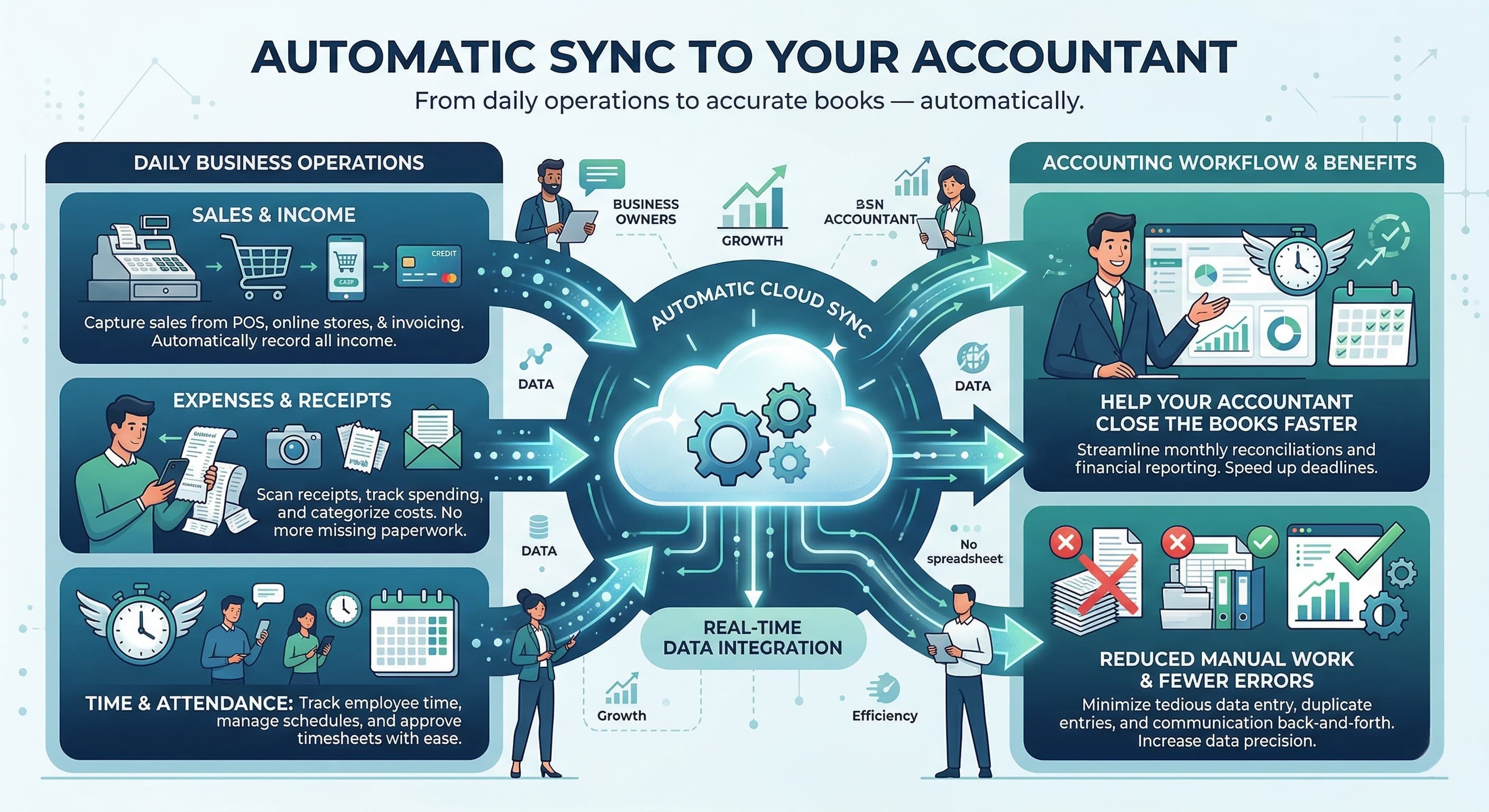
Så ansluter du din bokförare
Be din bokförare skapa ett konto på tax.sciometa.com
Din bokförare delar sitt konto-ID med dig
Ange konto-ID i Kassainställningar → Extern åtkomst
Din bokförare kan nu se dina försäljnings- och närvarouppgifter
tax.sciometa.com
Vad din bokförare får tillgång till
Säkra, skrivskyddade verktyg som hjälper din bokförare att hantera din restaurants ekonomi mer effektivt
Varför ansluta din bokförare?
Effektivisera din restaurants ekonomihantering
Så fungerar det
Be din bokförare registrera sig
Be din bokförare skapa ett gratis konto på tax.sciometa.com. De får ett unikt konto-ID vid registreringen.
Få deras konto-ID
Din bokförare delar sitt konto-ID med dig. Det är det enda du behöver för att ansluta dem.
Ange ID i din kassa
Gå till Kassainställningar → Extern åtkomst och ange din bokförares konto-ID för att ge dem dataåtkomst.
Klart — de är anslutna
Din bokförare kan nu logga in på sin instrumentpanel och se dina försäljnings- och närvarouppgifter i realtid på ett säkert sätt.
Vem gör vad
Tydliga roller håller din data säker och ditt arbetsflöde enkelt
Din bokförare
Skapar ett konto på tax.sciometa.com, ser dina försäljningsdata, närvaroregister och genererar ekonomiska rapporter. Skrivskyddad åtkomst säkerställer att din data förblir säker.
Du (Restaurangägare)
Ange din bokförares konto-ID i Kassainställningar → Extern åtkomst. Du kontrollerar anslutningen och kan återkalla åtkomst när som helst.
Administratör
Hantera flera bokföraranslutningar, konfigurera datadelningspolicyer och övervaka åtkomstbehörigheter i din organisation.
Redo att ansluta din bokförare?
Be din bokförare skapa ett konto på tax.sciometa.com och ange sedan deras konto-ID i dina kassainställningar