Kitchen & Server Display Systems

Complete Kitchen-to-Table Workflow

Two powerful display systems working together. The Kitchen Display System (KDS) helps chefs manage incoming orders in real-time, while the Server Display System (SDS) shows ready orders for service staff to deliver. Together, they create a seamless kitchen-to-table workflow.

Kitchen and Server Display Systems
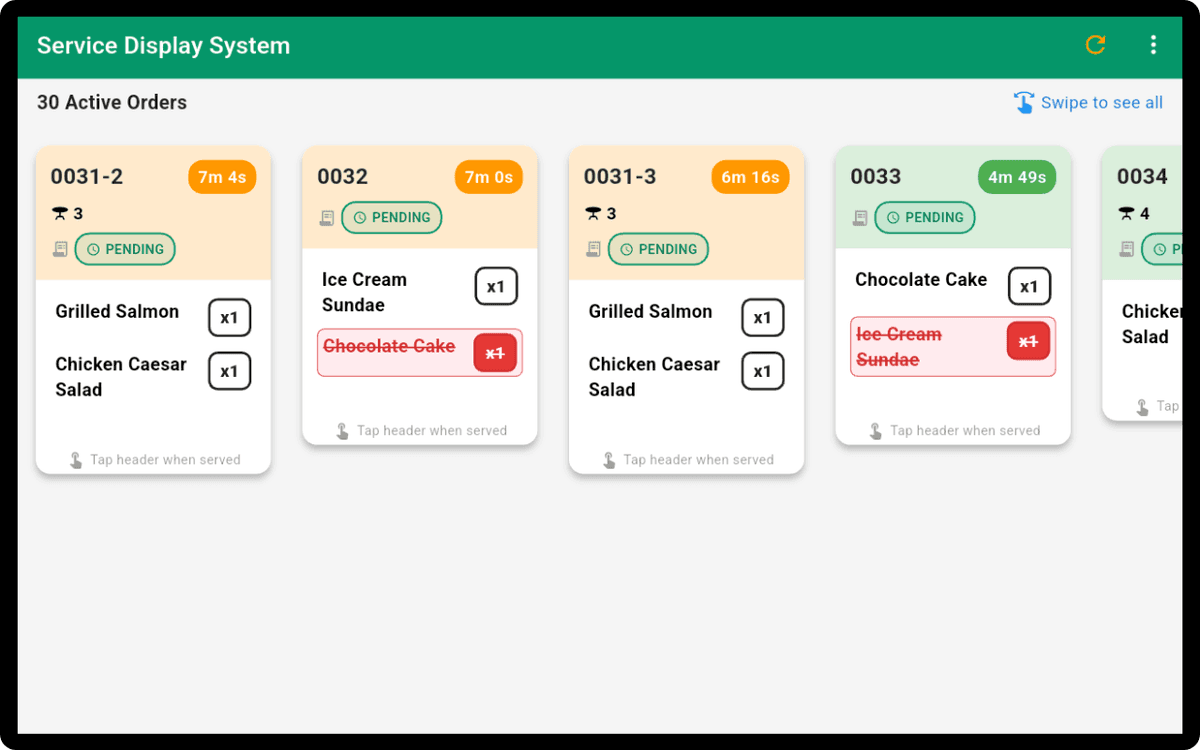
Server Display System

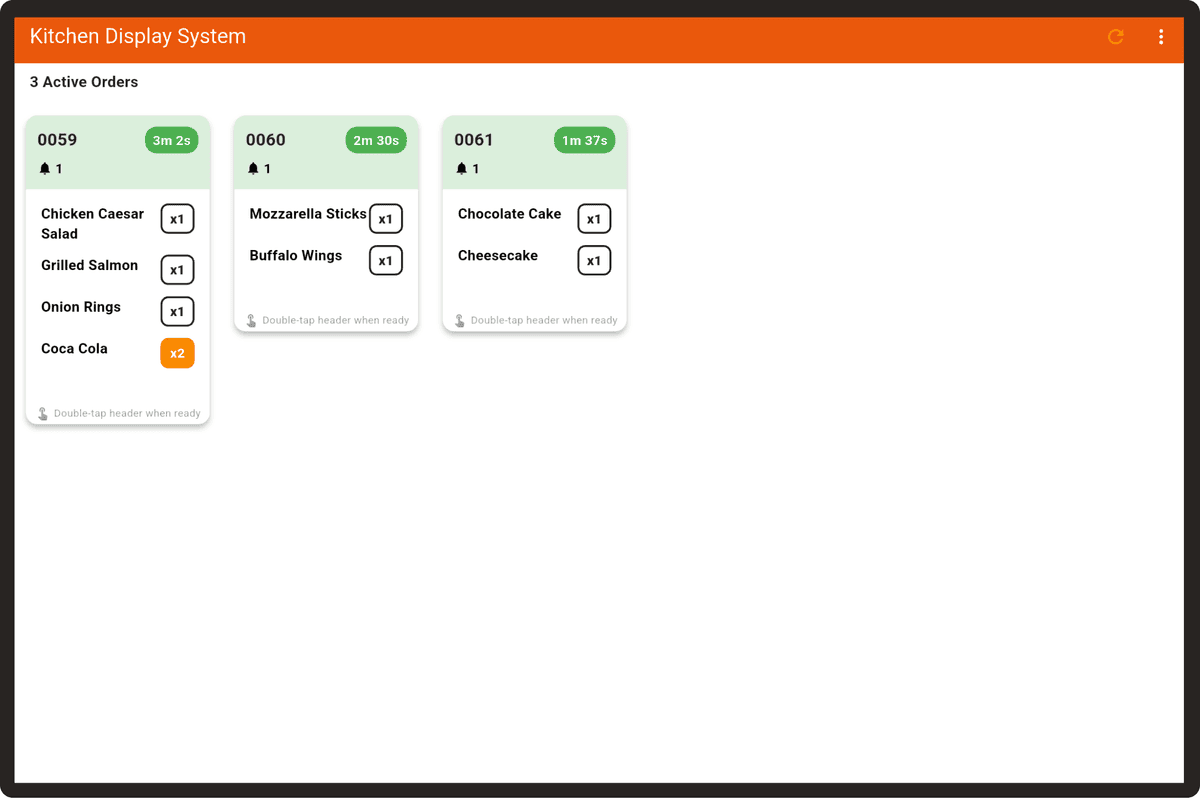
Kitchen Display System

Real-Time Order Management for Chefs

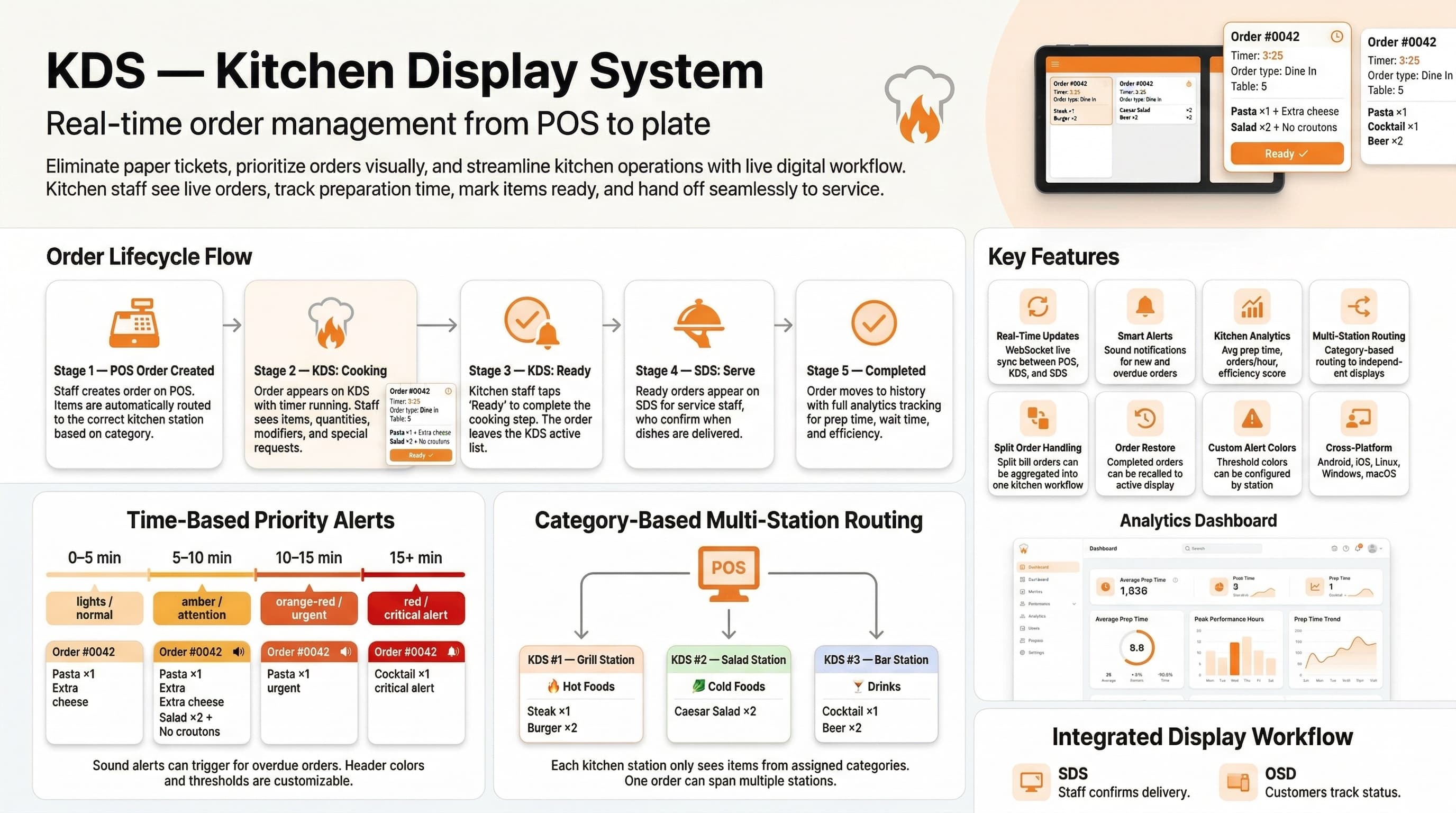
Kitchen Display System Infographic

Features Designed for Kitchen Efficiency

Everything chefs need to manage orders and maintain kitchen workflow

Real-Time Order Tracking

See orders as they come in with instant updates. No delays, no missed orders.

Status Management

Update order status from pending to ready with a simple touch. Track cooking progress efficiently.

Category-Based Display

Assign items to specific displays based on product categories. Organize your kitchen workflow.

Touch-Friendly Interface

Designed for busy kitchens with large buttons and clear visuals. Easy to use even with gloves.

Multiple Displays

Support for multiple kitchen displays. Separate displays for main kitchen, bar, dessert station, etc.

Instant Updates

Real-time synchronization with POS system. Orders appear instantly when placed.

Why Kitchen Display System?

Transform your kitchen operations with real-time order management

Reduce order errors and improve kitchen efficiency

Faster order processing with clear visual display

Better coordination between kitchen stations

Track order status from pending to ready

Support for additional orders per table

Real-time updates without page refresh

How It Works

1

Order Appears

When an order is placed at the POS, it instantly appears on the kitchen display with all item details.

2

Chef Prepares

Chefs see the order, prepare the items, and mark them as ready when complete using the touch interface.

3

Status Updates

Once marked ready, the order appears on the server display for staff to pick up and serve.

Server Display System

Bridge Between Kitchen and Customer

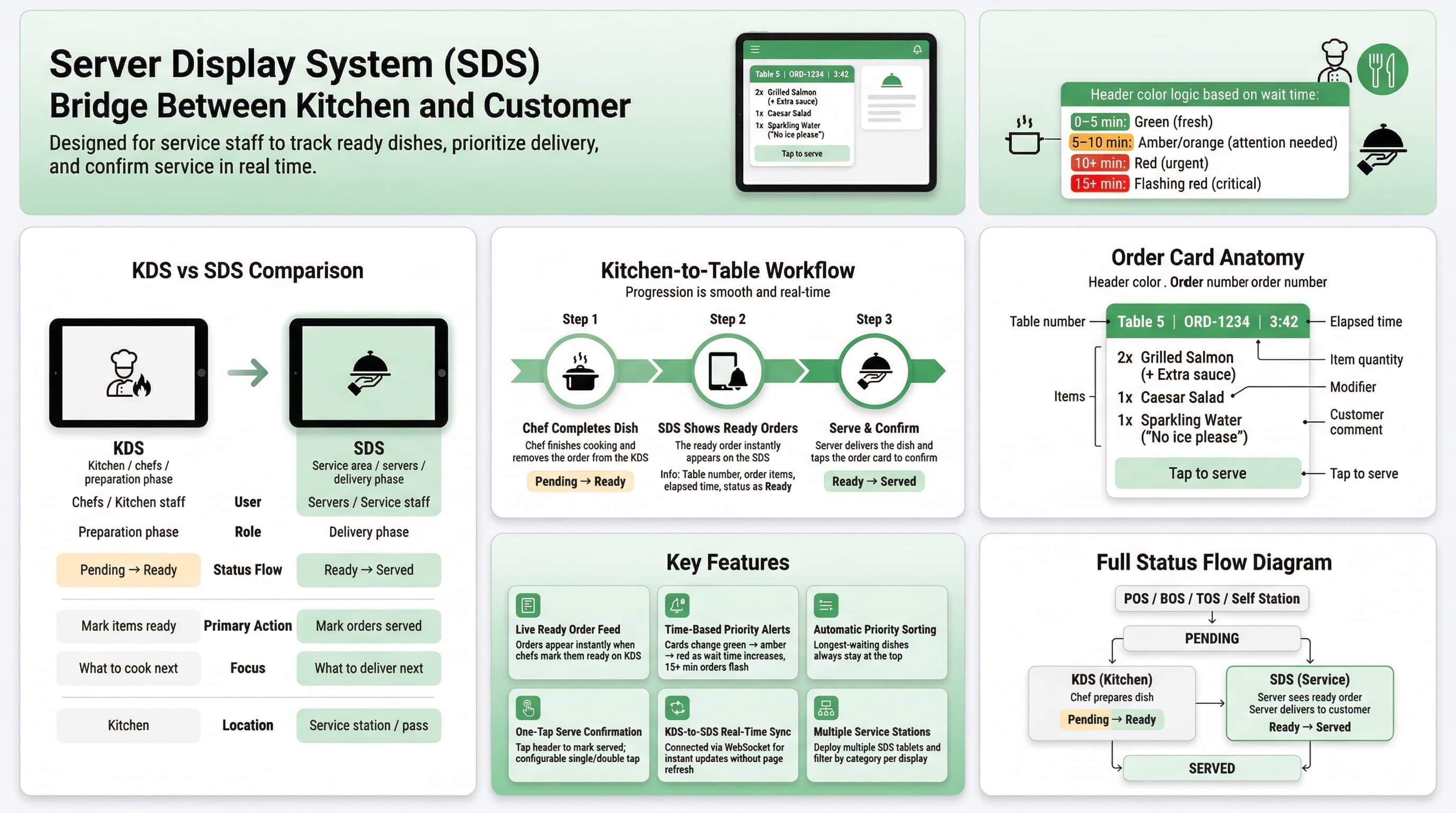
Server Display System Infographic

Features for Service Excellence

Complete workflow from kitchen-ready to customer-served

Live Ready Order Feed

Orders appear in real-time the moment chefs mark them ready on the KDS. Each card shows table number, order items, and how long the food has been waiting.

Time-Based Priority Alerts

Color-coded order cards change from green to orange to red as wait time increases. Orders waiting over 15 minutes flash urgently so nothing is forgotten.

Automatic Priority Sorting

Orders are automatically sorted by wait time so the longest-waiting dishes are always at the top. Servers always know which table to attend first.

One-Tap Serve Confirmation

Tap the order card header to mark it as served when you deliver it to the table. Configurable single-tap or double-tap mode to prevent accidental marks.

KDS-to-SDS Real-Time Sync

Connected to the Kitchen Display via WebSocket. When chefs mark items as ready, the SDS updates instantly—no delays, no page refreshes needed.

Multiple Service Stations

Deploy multiple SDS tablets for different sections of your restaurant. Each display can be configured to show specific categories.

Why Server Display System?

Complete the kitchen-to-table workflow with full visibility

Deliver food faster—servers see ready orders the moment chefs finish

No more shouting from the kitchen—every ready order is clearly displayed

Automatic priority sorting ensures the longest-waiting dishes go first

Seamless KDS-to-SDS handoff eliminates communication gaps

Color-coded time alerts ensure urgent orders get immediate attention

One-tap serve confirmation keeps the workflow moving smoothly

Kitchen-to-Table Workflow

1

Chef Completes Dish

When the chef finishes cooking and removes the order from the KDS, the order status changes from Pending to Ready.

2

SDS Shows Ready Orders

The ready order instantly appears on the SDS with table number, items, and elapsed time. Color-coded alerts highlight priority.

3

Serve & Confirm

The server picks up the dish, delivers it to the customer, and taps the order card on the SDS to mark it as served—completing the cycle.

Bring Your Own Device

Any Tablet Becomes Your Kitchen or Server Display

Mount any iPad or Android tablet in your kitchen or at service stations. No expensive proprietary screens—use affordable tablets for both KDS and SDS.

No Lease Fees

Skip expensive kitchen display terminals. Own your equipment with no monthly payments.

Quick Setup

Download the app, mount your tablet, and start receiving orders instantly.

Size Flexibility

Choose larger tablets for main kitchen or compact ones for bar and prep stations.

Buy Anywhere

Purchase tablets from any electronics store or online retailer at competitive prices.

iPad (iOS)Android TabletsMultiple Stations

Ready to Streamline Your Kitchen-to-Table Workflow?

Start using Kitchen and Server Display Systems today—both free and ready to transform your restaurant operations.