Customer Display System
Transparent Ordering Experience
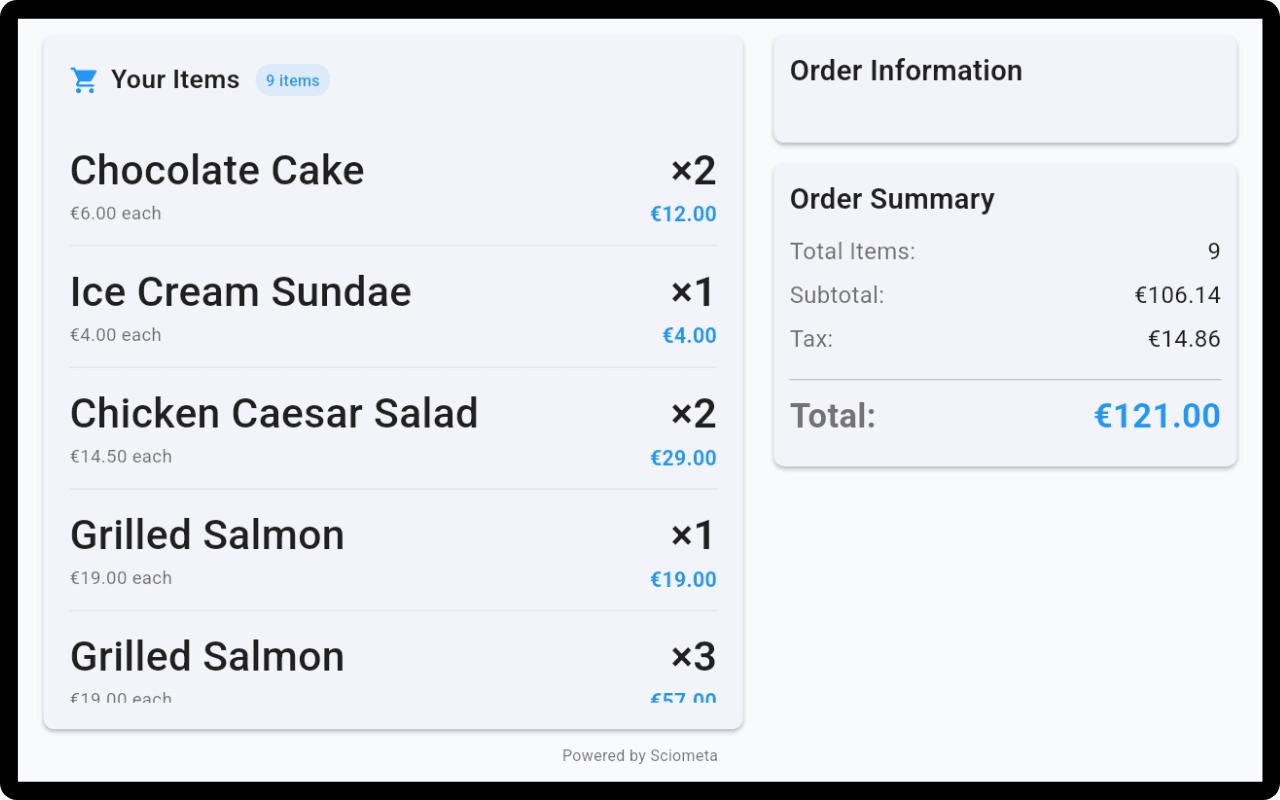
Show customers their order details and price summary in real-time. Enhance transparency and improve customer experience with clear, visible order information.

Features for Customer Confidence
Build trust and improve customer experience with transparent order display
Order TransparencyCustomers can see their order details in real-time as items are added. No surprises at checkout.
Price SummaryDisplay itemized prices and total cost. Customers know exactly what they're paying for.
Real-Time UpdatesOrder updates appear instantly. Customers see changes as they happen, building trust and confidence.
Multiple DisplaysSupport for multiple customer displays. Perfect for counter service and drive-through operations.
Clear VisibilityLarge, easy-to-read display ensures customers can see their order from a distance.
Secure DisplayToken-based access ensures only authorized displays can show order information.
Why Customer Display System?
Enhance customer experience and build trust with transparent ordering
→Enhance customer trust with transparent ordering
→Reduce disputes and misunderstandings at checkout
→Improve customer satisfaction and experience
→Real-time order confirmation for peace of mind
→Professional appearance that builds brand confidence
→Support for multiple display configurations
Bring Your Own Device
Any Tablet Becomes a Customer Display
Turn any iPad or Android tablet into a customer-facing display. No specialized hardware required—simply download the app and position it for your customers.
No Lease FeesAvoid expensive proprietary displays. Use affordable consumer tablets you already own.
Quick SetupDownload from App Store or Google Play and connect to your POS in seconds.
Choose Your SizeSelect the perfect screen size for your counter—compact or large, it's your choice.
Buy AnywherePurchase tablets from any electronics store or online retailer at competitive prices.
✓ iPad (iOS)✓ Android Tablets✓ Any Screen Size
How It Works
1Order PlacementWhen a customer places an order at the POS, it automatically appears on the customer display.
2Real-Time UpdatesAs items are added or modified, the display updates instantly showing current order and total price.
3Order ConfirmationCustomers can verify their order before payment, reducing errors and building confidence.
Ready to Enhance Customer Experience?
Start using Customer Display System today and build customer trust