Kitchen Display System
Real-Time Order Management for Chefs
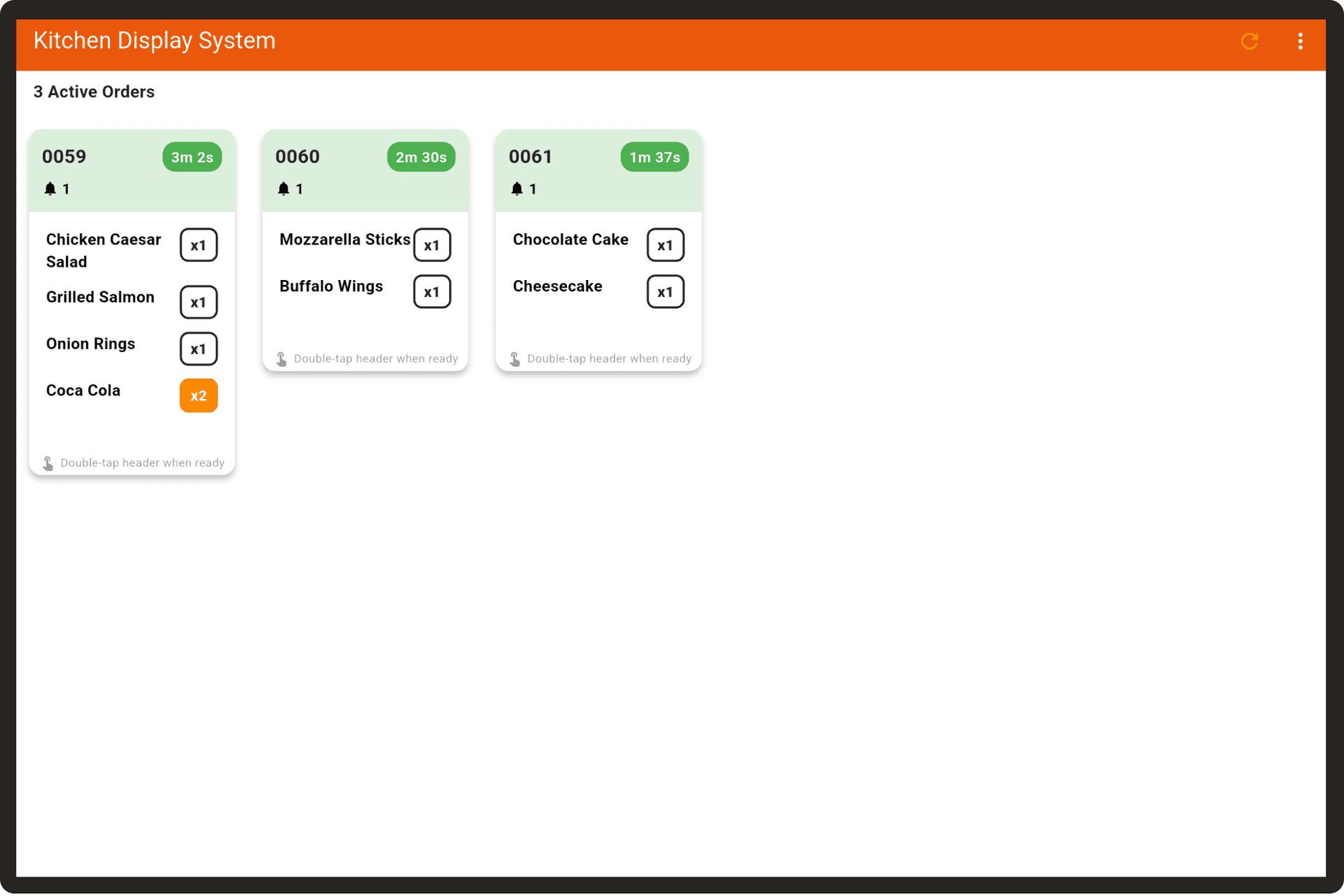
Monitor orders, update status, and improve kitchen efficiency with touch-friendly displays. See orders as they come in and track cooking progress in real-time.

Features Designed for Kitchen Efficiency
Everything chefs need to manage orders and maintain kitchen workflow
Real-Time Order Tracking
See orders as they come in with instant updates. No delays, no missed orders.
Status Management
Update order status from pending to ready with a simple touch. Track cooking progress efficiently.
Category-Based Display
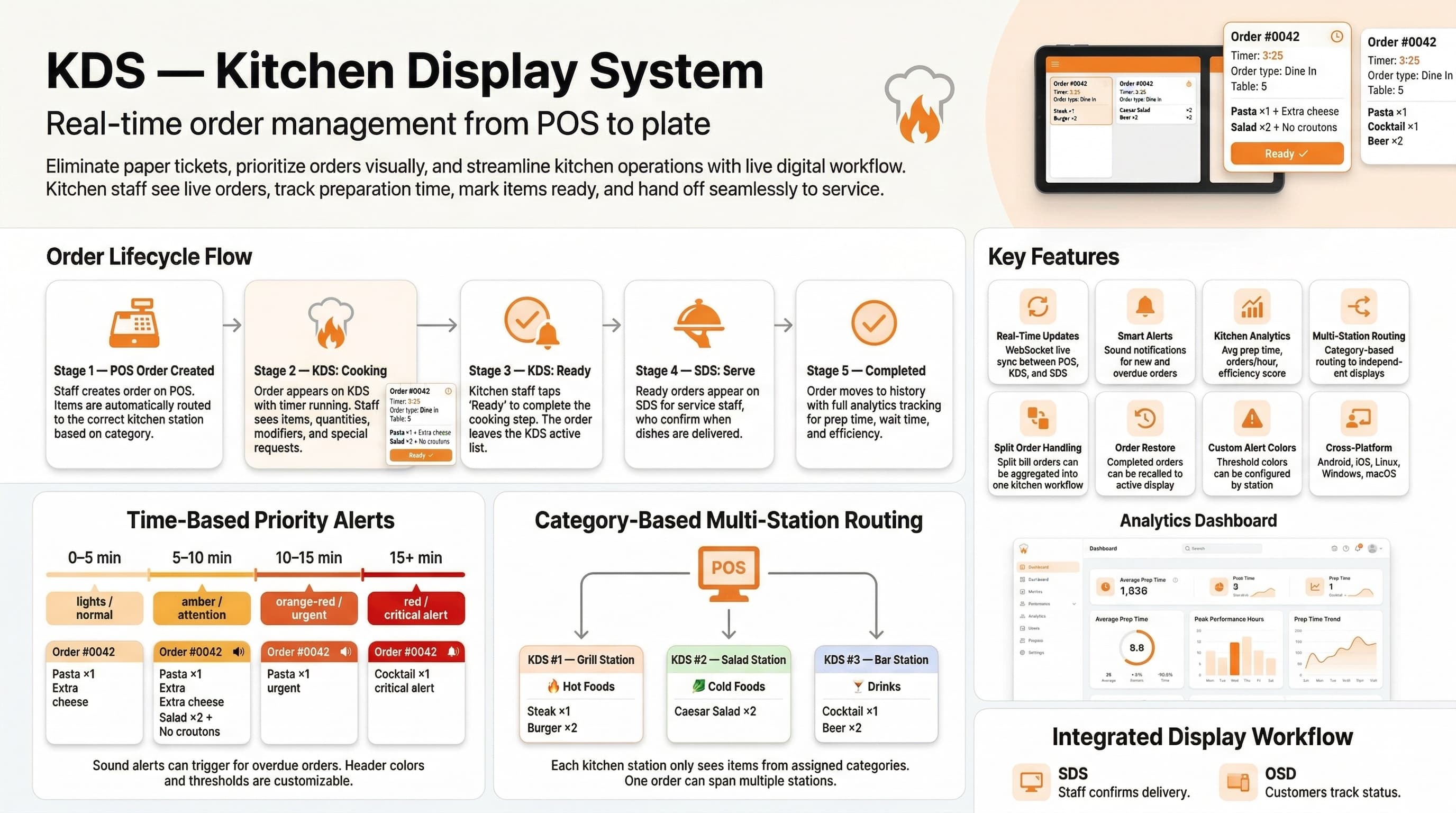
Assign items to specific displays based on product categories. Organize your kitchen workflow.
Touch-Friendly Interface
Designed for busy kitchens with large buttons and clear visuals. Easy to use even with gloves.
Multiple Displays
Support for multiple kitchen displays. Separate displays for main kitchen, bar, dessert station, etc.
Instant Updates
Real-time synchronization with POS system. Orders appear instantly when placed.
Why Kitchen Display System?
Transform your kitchen operations with real-time order management
Reduce order errors and improve kitchen efficiency
Faster order processing with clear visual display
Better coordination between kitchen stations
Track order status from pending to ready
Support for additional orders per table
Real-time updates without page refresh
Any Tablet Becomes Your Kitchen Display
Mount any iPad or Android tablet in your kitchen as a display system. No expensive proprietary screens—use affordable tablets designed for demanding environments.
No Lease Fees
Skip expensive kitchen display terminals. Own your equipment with no monthly payments.
Quick Setup
Download the app, mount your tablet, and start receiving orders instantly.
Size Flexibility
Choose larger tablets for main kitchen or compact ones for bar and prep stations.
Buy Anywhere
Purchase tablets from any electronics store or online retailer at competitive prices.
How It Works
Order Appears
When an order is placed at the POS, it instantly appears on the kitchen display with all item details.
Chef Prepares
Chefs see the order, prepare the items, and mark them as ready when complete using the touch interface.
Status Updates
Once marked ready, the order appears on the server display for staff to pick up and serve.
Ready to Improve Your Kitchen Efficiency?
Start using Kitchen Display System today and streamline your kitchen operations