Server Display System
Bridge Between Kitchen and Customer
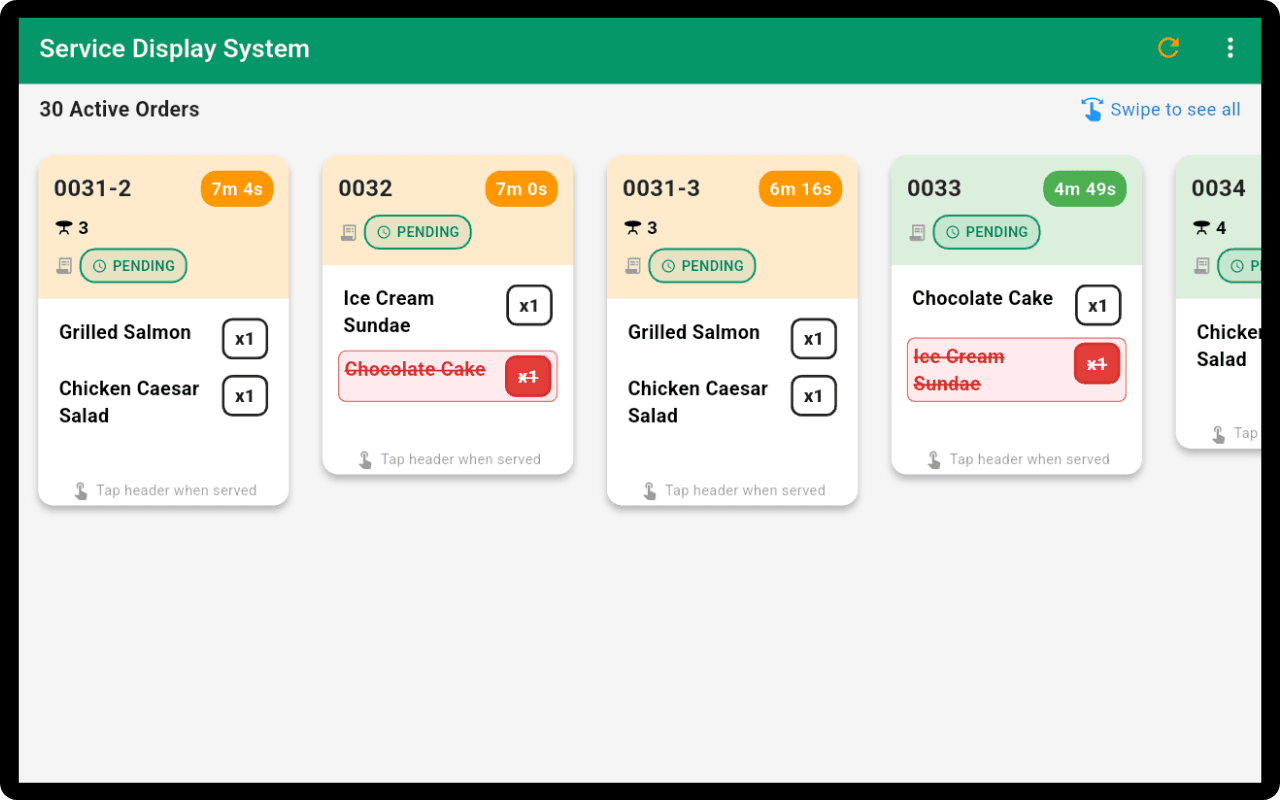
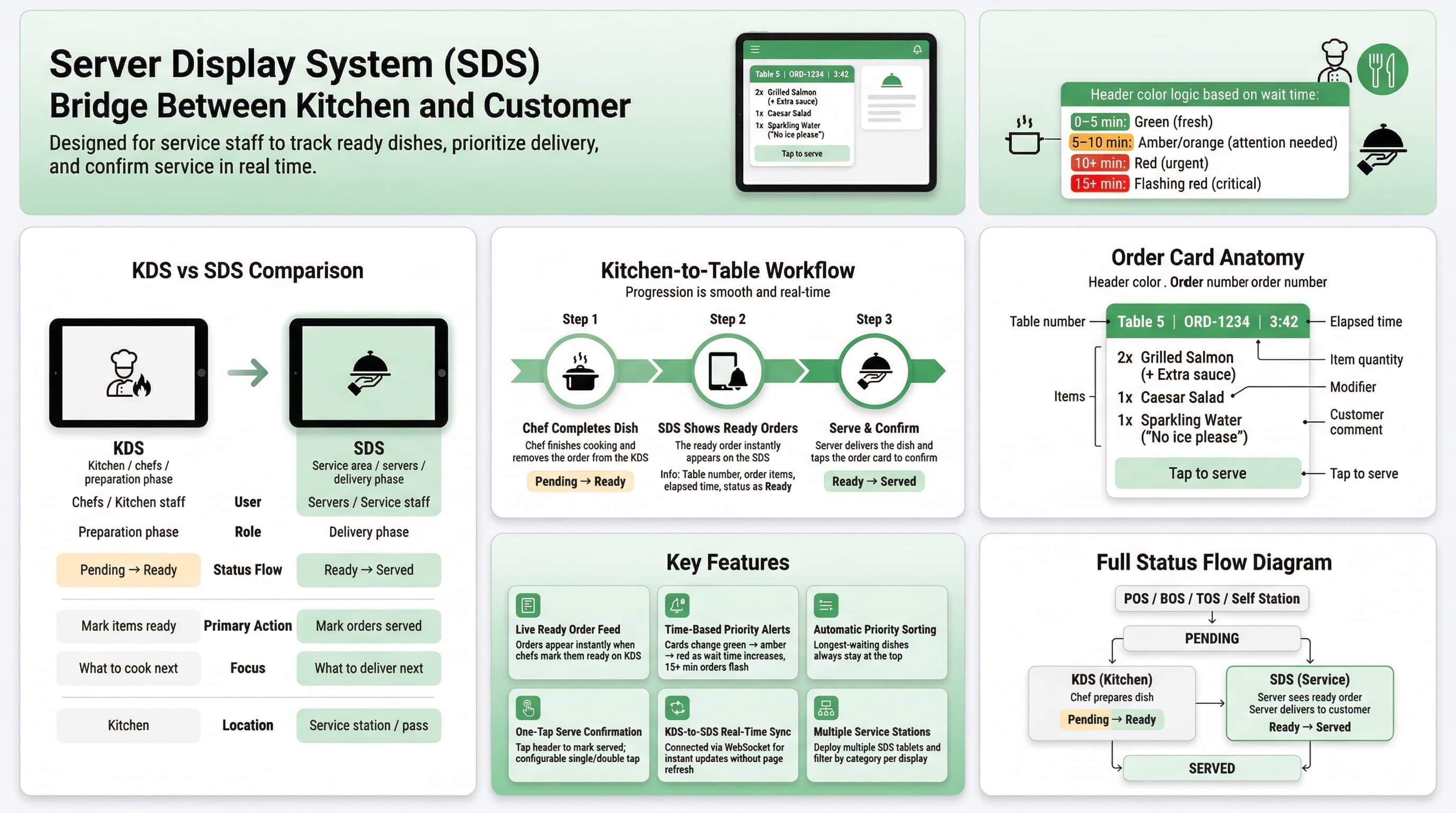
The SDS is purpose-built for service staff. When chefs finish preparing dishes and mark them ready on the KDS, orders instantly appear on the SDS with table number, order details, and elapsed time. Servers can see exactly what needs to be delivered, then mark orders as served with a single tap once delivered to the customer.

Features for Service Excellence
Complete workflow from kitchen-ready to customer-served
Live Ready Order Feed
Orders appear in real-time the moment chefs mark them ready on the KDS. Each card shows table number, order items, and how long the food has been waiting.
Time-Based Priority Alerts
Color-coded order cards change from green to orange to red as wait time increases. Orders waiting over 15 minutes flash urgently so nothing is forgotten.
Automatic Priority Sorting
Orders are automatically sorted by wait time so the longest-waiting dishes are always at the top. Servers always know which table to attend first.
One-Tap Serve Confirmation
Tap the order card header to mark it as served when you deliver it to the table. Configurable single-tap or double-tap mode to prevent accidental marks.
KDS-to-SDS Real-Time Sync
Connected to the Kitchen Display via WebSocket. When chefs mark items as ready, the SDS updates instantly—no delays, no page refreshes needed.
Multiple Service Stations
Deploy multiple SDS tablets for different sections of your restaurant. Each display can be configured to show specific categories.
Why Server Display System?
Complete the kitchen-to-table workflow with full visibility
Deliver food faster—servers see ready orders the moment chefs finish
No more shouting from the kitchen—every ready order is clearly displayed
Automatic priority sorting ensures the longest-waiting dishes go first
Seamless KDS-to-SDS handoff eliminates communication gaps
Color-coded time alerts ensure urgent orders get immediate attention
One-tap serve confirmation keeps the workflow moving smoothly
Any Tablet Becomes Your Server Display
Position any iPad or Android tablet at your service station. Staff can see ready orders instantly—no expensive proprietary displays required.
No Lease Fees
Avoid proprietary display costs. Own affordable tablets with no ongoing equipment fees.
Quick Setup
Download the app and place the tablet at your service station—ready in minutes.
Size Flexibility
Choose compact tablets for small stations or larger ones for main service areas.
Buy Anywhere
Purchase tablets from any electronics store or online retailer at competitive prices.
Kitchen-to-Table Workflow
Chef Completes Dish
When the chef finishes cooking and removes the order from the KDS, the order status changes from Pending to Ready.
SDS Shows Ready Orders
The ready order instantly appears on the SDS with table number, items, and elapsed time. Color-coded alerts highlight priority.
Serve & Confirm
The server picks up the dish, delivers it to the customer, and taps the order card on the SDS to mark it as served—completing the cycle.
Ready to Improve Service Efficiency?
Start using Server Display System today and bridge the gap between kitchen and customer