Loyalty Program

Digital Stamp Cards for Your Restaurant

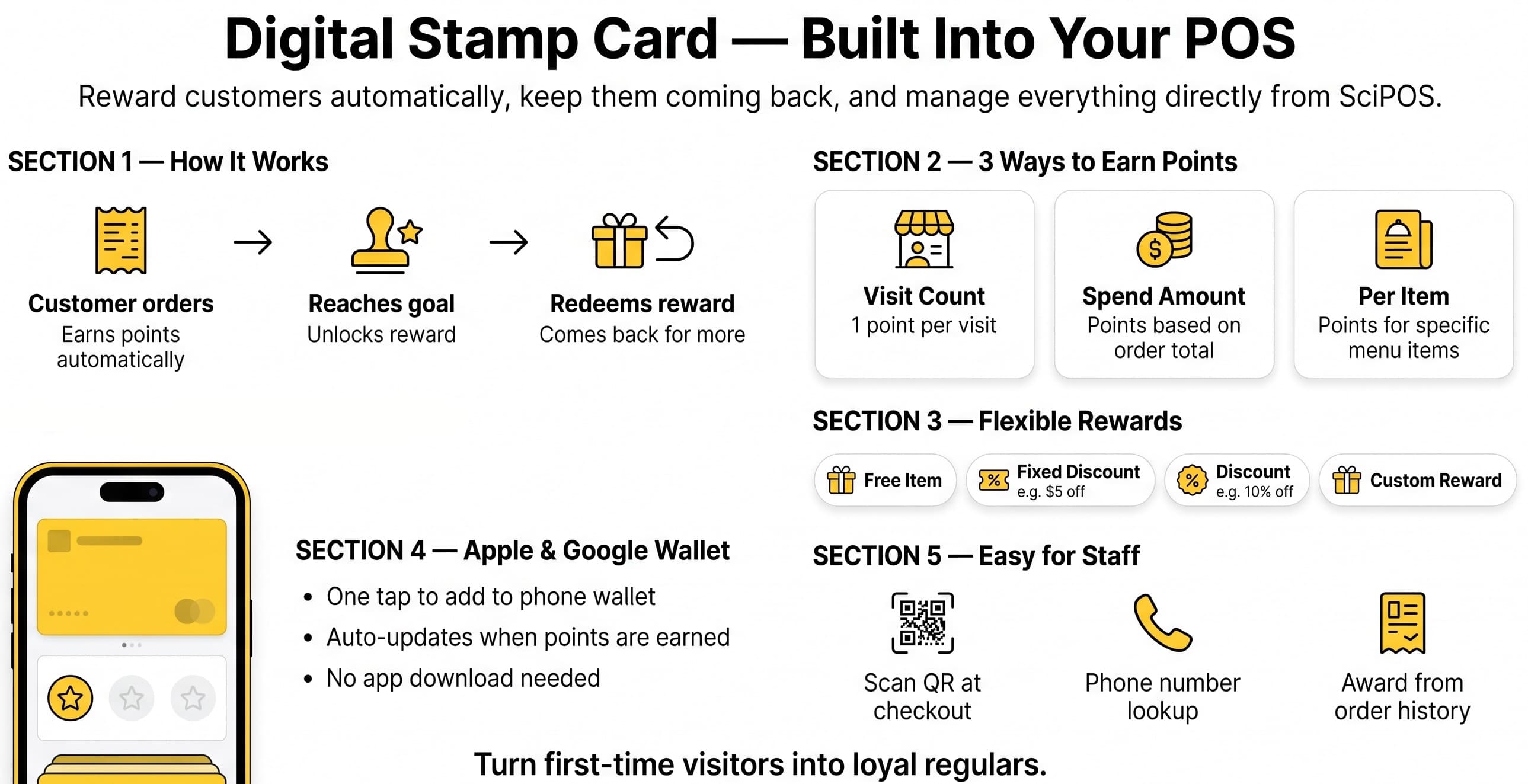
Reward your repeat customers with a fully digital stamp card system. Customers add their loyalty card to Apple Wallet or Google Wallet—no paper cards, no separate app. Staff scan the QR code at checkout to award stamps automatically.
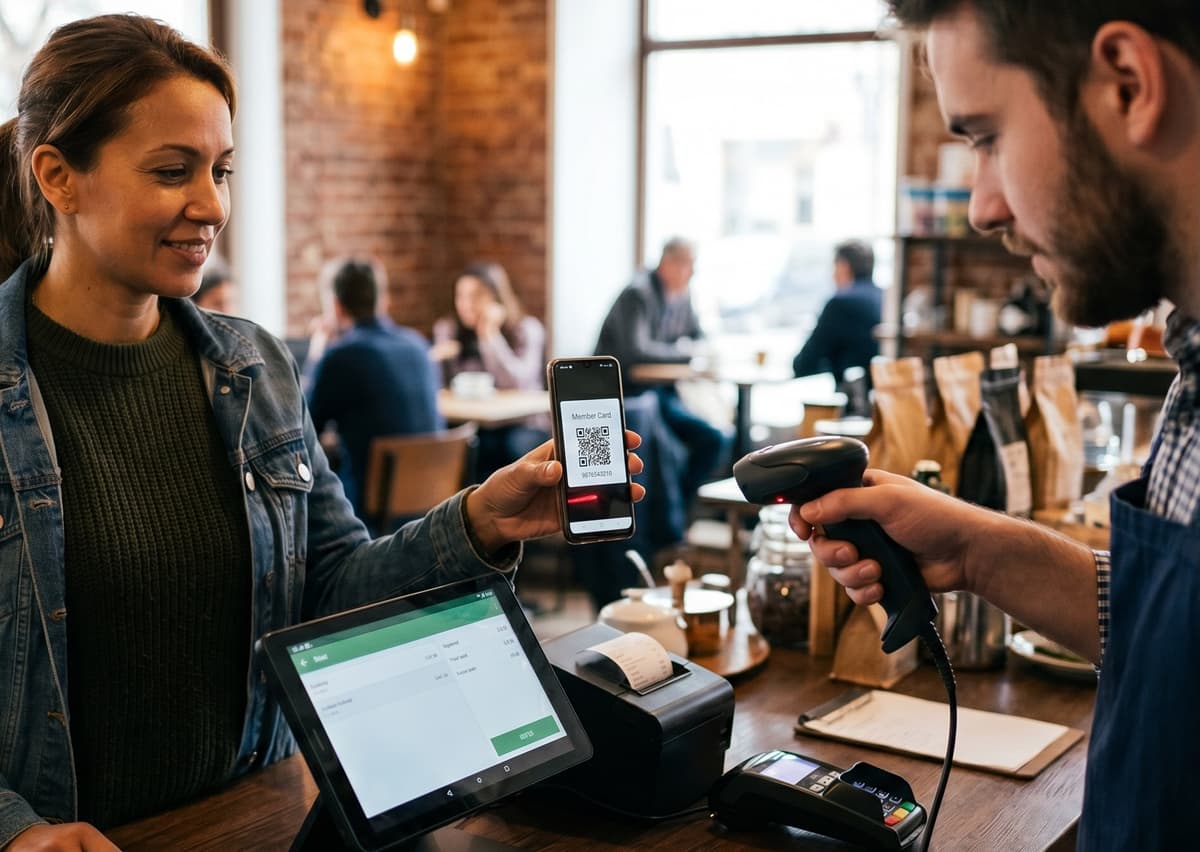
Cashier scanning customer loyalty card QR code
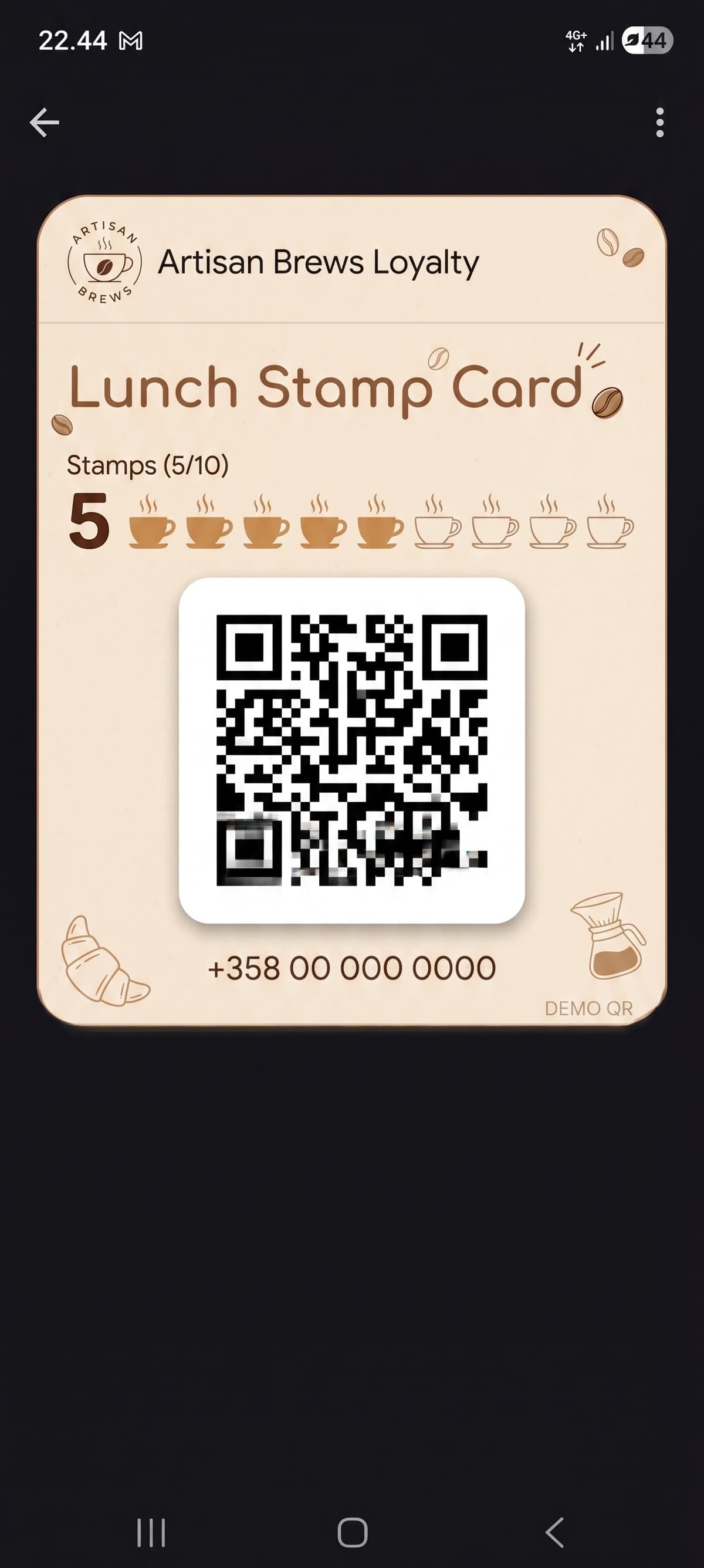
Loyalty stamp card in Google Wallet
Digital Stamp Card — Built Into Your POS: How it works, earning points, flexible rewards, Apple & Google Wallet, and easy staff workflow

Everything You Need for Customer Loyalty

A complete loyalty system built into your POS—no extra hardware or apps required

Digital Stamp Cards

Create customizable stamp card templates with your branding. Set how many stamps are needed for a reward and watch customers progress toward their goal.

Apple & Google Wallet

Customers save their stamp card to Apple Wallet or Google Wallet. Cards update automatically when stamps are earned or rewards are redeemed—no app download needed.

Multiple Earning Rules

Award stamps per visit, per amount spent, or per qualifying item purchased. Set minimum order amounts, daily caps, and per-order limits to control your program.

Flexible Rewards

Offer free items, fixed discounts, percentage discounts, or custom rewards. Completed cards automatically generate discount coupons that apply at checkout.

QR Scan Workflow

Staff scan the customer's Wallet QR code with a barcode scanner at checkout. First-time customers can join by scanning a QR code at the counter or on their receipt.

Campaign Scheduling

Set start and end dates for loyalty campaigns. Configure bonus point days (e.g., double stamps on Tuesdays) and welcome bonuses for new members.

Why Loyalty Program?

Turn first-time visitors into regulars with a loyalty system that works

Boost customer retention with rewards that keep them coming back

Fully digital—no paper punch cards to lose or forget

Set up in minutes from your POS dashboard with no extra hardware

Customers use Apple Wallet or Google Wallet—no app to download

Completed cards auto-generate discount coupons applied at checkout

Track stamp activity, customer count, and reward redemptions

How It Works

1

Create a Template

Design your stamp card in the dashboard. Set the number of stamps needed, earning rules, reward type, and optional campaign dates.

2

Customers Join

Customers register with their phone number by scanning a QR code at the counter or on their receipt. Their stamp card is instantly added to Apple or Google Wallet.

3

Earn & Redeem

At each visit, staff scan the customer's Wallet QR code to award stamps. When the card is full, the reward is automatically applied as a coupon at checkout.

Free to Start

Free for Up to 100 Customers

Start your loyalty program at no cost. The free tier supports up to 100 registered customers with all features included. Upgrade your plan as your customer base grows.

Ready to Reward Your Customers?

Start your loyalty program today—free for up to 100 customers, with all features included.